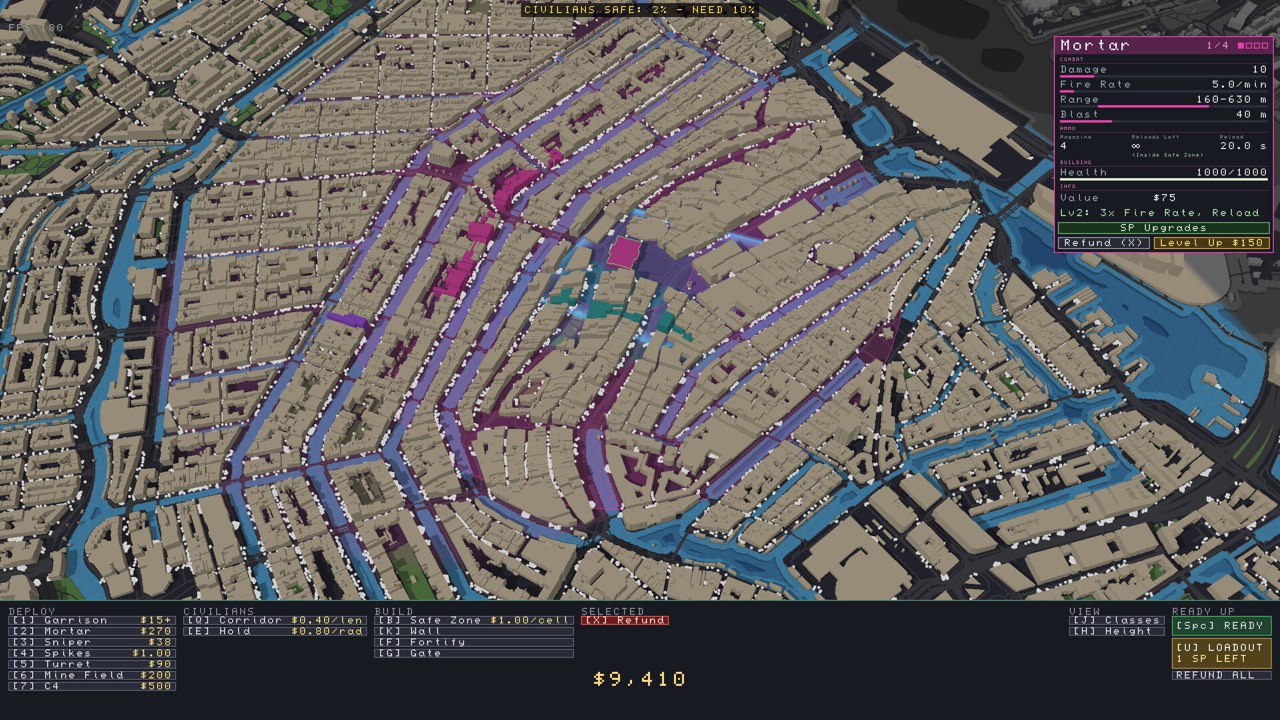
The game supports Steam Workshop maps and a level editor. The developer says custom maps can draw on public geographic data for many postal codes around the world.
Availability for a specific city is not guaranteed. Check the editor in your installed version.
Browse the official Steam Workshop ↗
Individual map walkthroughs will need playtesting; this page does not claim a tested route for any city.
Maps, campaigns and mods are different discovery paths
The Workshop hub lists Map, Campaign, Scenario and Mod categories. Read an item’s tags and description before assuming it will appear as a standalone city mission. A city name can also be used by more than one creator; preserve the Workshop URL when sharing a setup.
A concrete discovery workflow
- Open the game’s official Workshop hub.
- Choose an item and read the author’s description and change notes.
- Check the subscription state in the Steam account you use for the game.
- Let any Steam download finish before trying the content.
- Record the exact item and scenario you tested.
Start with our source-linked London, Tokyo, Stockholm and Auckland map directory. If an item is absent in-game, use the map-not-showing checklist. This workflow does not document an untested import button, file path or specific postal-code format.
Plan the experiment before changing cities
If you are comparing deployments, keep one city and scenario fixed. If you are exploring, select a new city and inspect the starting conditions afresh. An approach that looked effective in one run is a hypothesis for the next city, not a confirmed universal layout.